Try a haircut on your own photo.
SwapHair is an iPhone and iPad app that previews hairstyles, beard styles and hair colors on a selfie. Here’s how two cuts change the way the same face is framed.

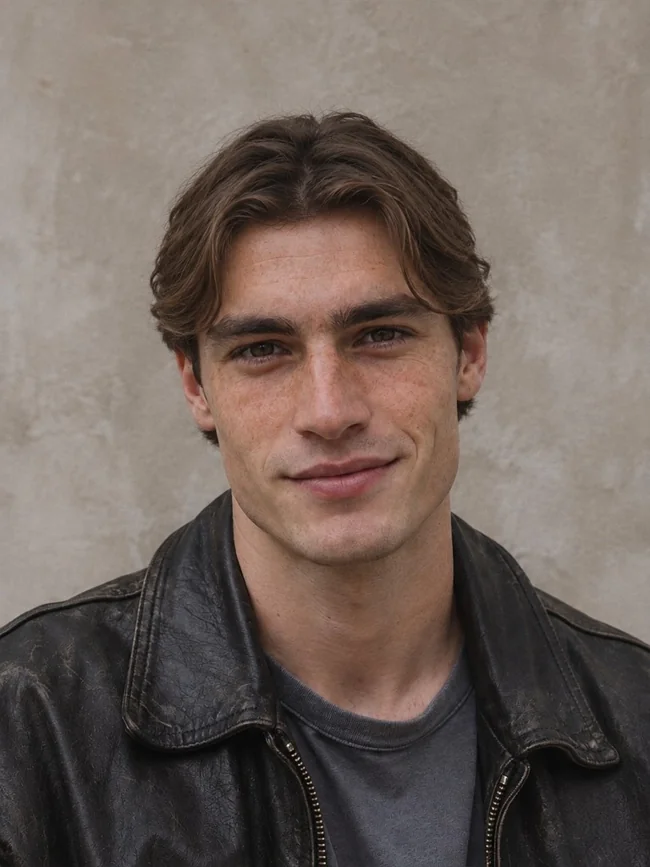
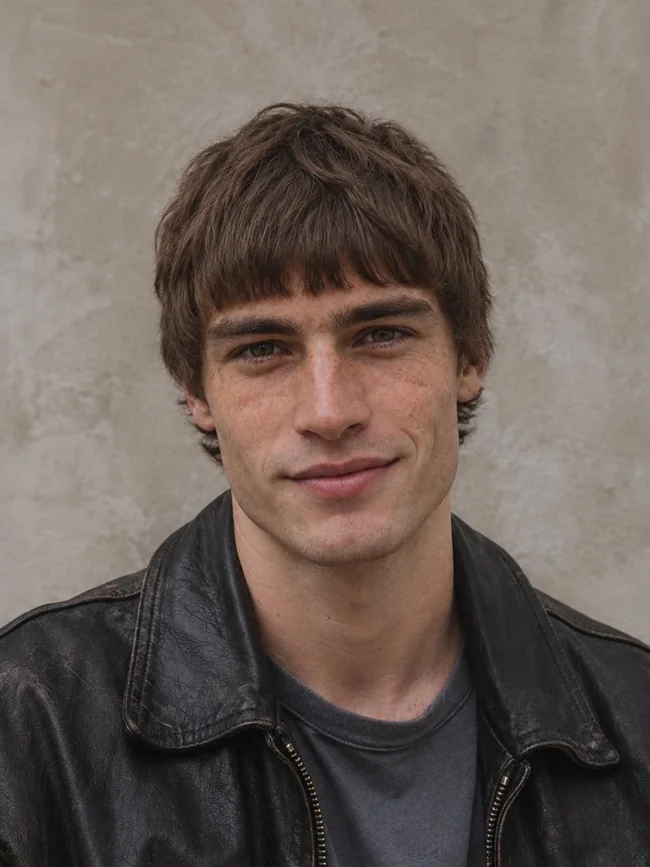
We used one fictional adult’s portrait as the input for both SwapHair previews. Compare the forehead first. Curtains leave the center open, while the mod fringe brings the eye down toward the brows.
How to try two cuts fairly
- Choose a sharp, eye-level photo in even light. Keep both temples and the crown in the frame, and take off hats or sunglasses.
- Use that same photo for both cuts. Compare one feature at a time, such as the amount of forehead showing or the length around the ears.
- Save the look you prefer. Show it alongside your original photo and ask your barber where your natural part, hair density or curl pattern would change the result.
Looking for a starting point? Take the haircut quiz for a shortlist based on your answers, or browse the hairstyle catalog.
What else can I preview?
Try a beard length while keeping the haircut fixed, use Color Lab to change shade and intensity, or use the Pro AI Stylist to compare nine hairstyles on one image. Color Lab uses no preview credits. A screen can show a color direction, while a colorist can assess how it would lift or deposit on your hair.
Where does the try-on happen?
The quiz and guides work in a browser. To generate a look on your photo, open SwapHair on an iPhone or iPad running iOS or iPadOS 18 or later. The App Store lists the current plans in your currency and the developer, Yuri Garik Petrosyan.
View app details and in-app purchases · Read the app’s photo privacy policy